 Unpile


Coming soon to iPhone & Android
From overwhelmed to one clear next step
Dump everything on your mind, swipe to sort it, pick 1–3 things for today and start the first tiny step.
Join the waitlist and we’ll email you a launch promo code.
About 2 minutes from a full head to your first step
Why Unpile
Too much on your plate? Start with one thing.
Your to-do list is so long you don’t know where to begin.
Pick just 1–3 a day. Everything else waits calmly.
Some tasks feel too big to even start.
Split them into tiny steps. The first takes a few minutes.
Things pop into your head and then you forget them.
Dump it the moment it comes up, then a 1-minute evening review.
How it works
Four steps, about two minutes
- 1
Dump everything
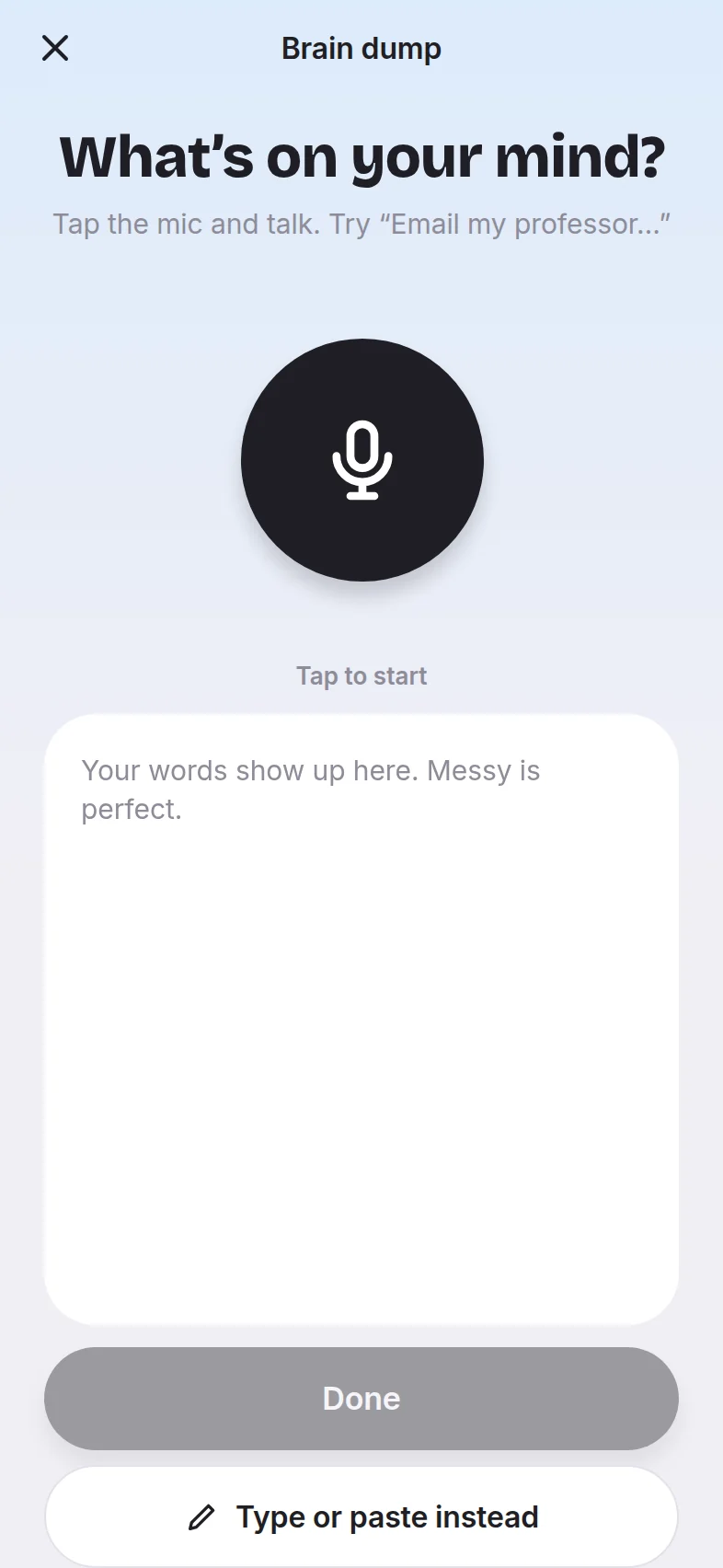
Tap the mic and talk about everything on your mind for a minute. Messy is perfect. You can also type or paste a list.
- 2
Swipe to clean up
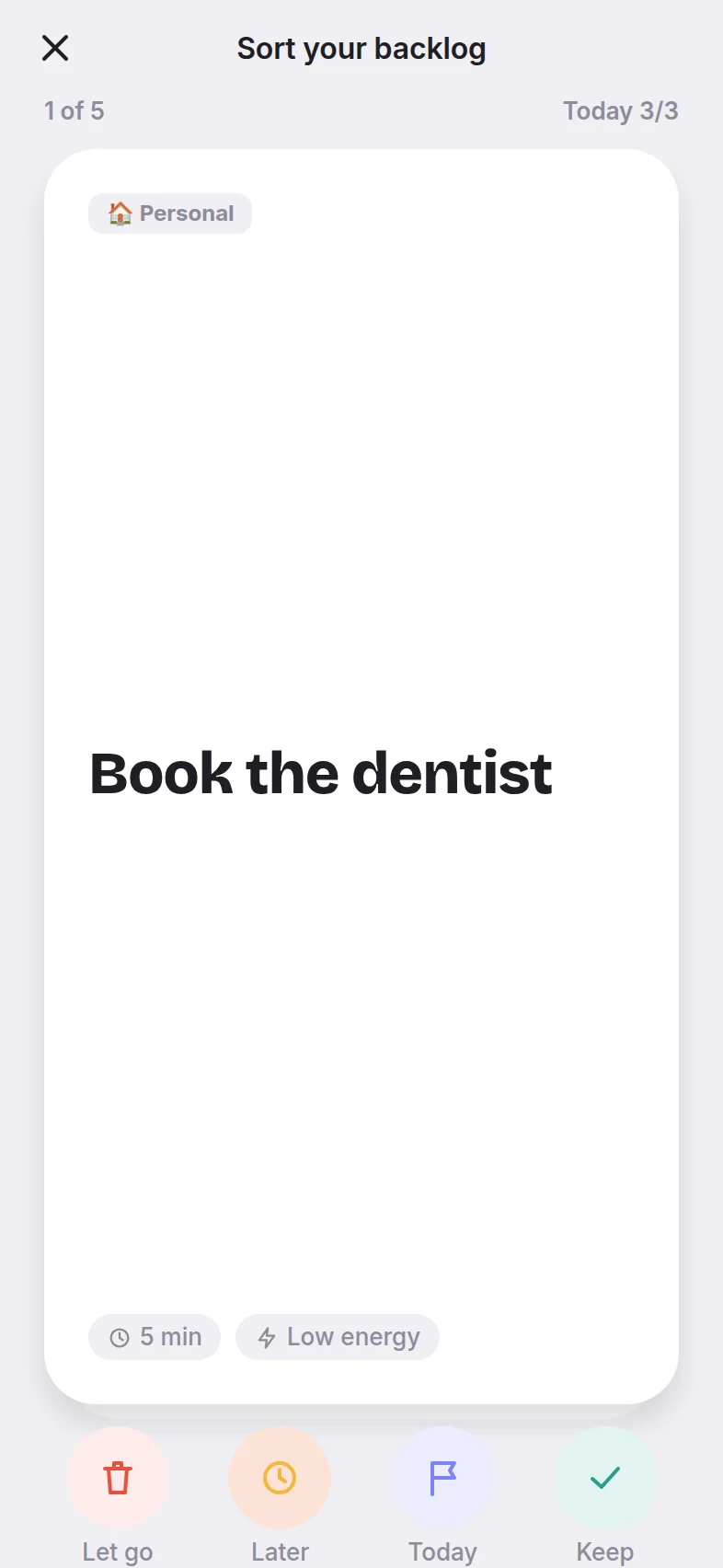
Unpile turns your ramble into tasks. Swipe each one: keep it, do it today, save it for later, or let it go.
- 3
Pick 1–3 for today
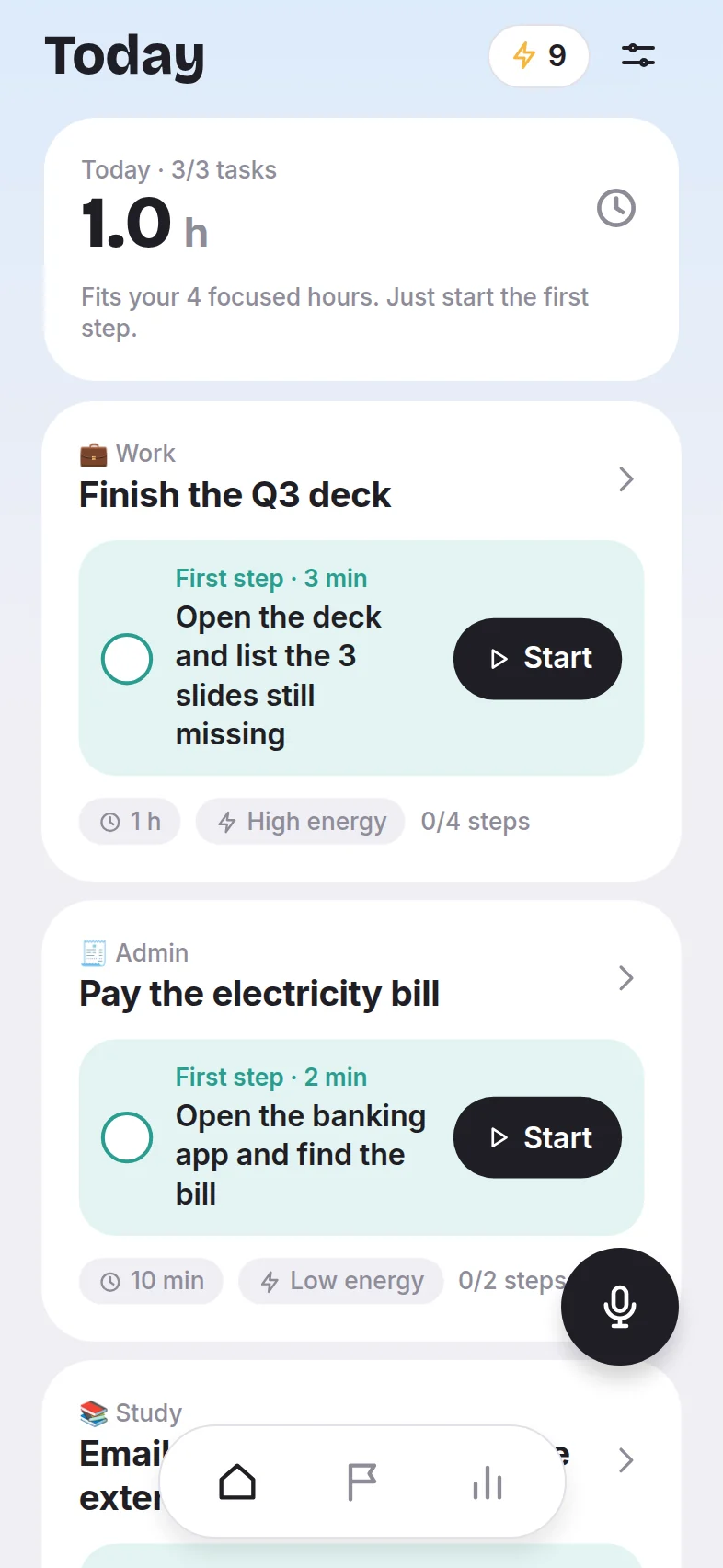
Only a few things make it onto Today, and Unpile tells you if your plan won’t fit into the hours you actually have.
- 4
Take the first tiny step
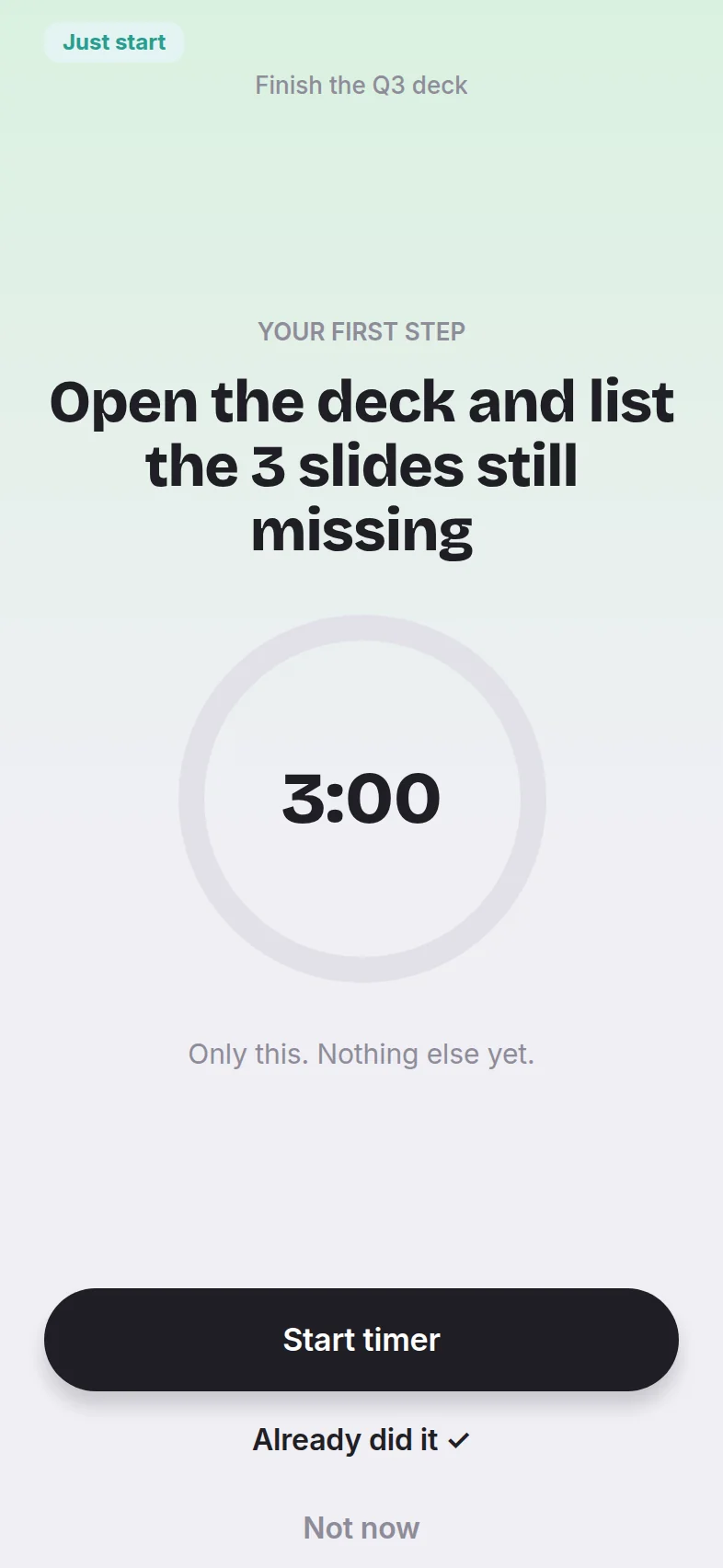
Every task opens with a small first step. Tap Start, and a short timer keeps only that one step on screen.
What’s inside
Built for days when starting is the hard part
Talk, don’t type
Say it the way it comes out. Unpile finds the tasks and guesses how long each one takes and how much energy it needs.
Big tasks, split small
Anything vague gets split into tiny steps, and the first one takes only a few minutes.
Four-way swipe
Keep, today, later or let go. Clear a long list in a minute, with undo if you slip.
Just-start timer
Only one step on screen and a 3-minute timer. Once you’ve started, carrying on is the easy part.
A gentle streak
One first step a day counts. Pick your rest days, and missing one day doesn’t break your streak.
A 1-minute evening review
See what you did, swipe the leftovers and pick tomorrow’s 1–3. An optional morning nudge names your first step.
Your privacy
Your thoughts stay yours
A brain dump is personal. Unpile keeps as little of it as it can.
- Speech becomes text on your phoneWhat you say is turned into text on your device, so the recording itself stays on your phone.
- Only the text goes to our AIJust the text of your dump is sent to split it into tasks. We don’t store it.
- Your tasks live on this deviceNo account and no sign-up. Your list stays on your phone.
- Delete everything anytimeOne button in Settings wipes your data from the app and from our servers.
FAQ
Questions, answered
When does Unpile launch?
Soon, on iPhone and Android. Join the waitlist and we’ll email you the day it goes live.
What do I get for joining the waitlist?
An email when Unpile launches, with a promo code for waitlist members. We send the code by email only, and it won’t appear on this page.
Is Unpile free?
Unpile is a subscription, Unpile Plus, with a free week to start. During setup you run the whole loop on your own list before you decide, so you see what it does first.
Do I need an account?
No. Download it and start. Your tasks stay on your phone.
Can I bring my existing to-dos?
Yes. Paste a list, or import from Apple Reminders on iPhone. Unpile only reads the reminders you choose and doesn’t change them.
Which languages does it understand?
English at launch, for both talking and typing.
Will you spam me?
No. We’ll only email you about Unpile’s launch and your promo code, and every email has an unsubscribe link.

Be first in line when Unpile launches
Join the waitlist and we’ll email you a promo code on launch day.